Schedule Board Widget

Live departures in a format riders can read instantly

Show live departures on station monitors, lobby TVs, campus screens, and shuttle displays with a layout riders can read at a glance.

Mockup of a modern transit departure board showing routes, destinations, and arrival times

Display Modes

Built for live public displays

Multiple layouts, live refresh behavior, and clear fallback states for real-world display use.

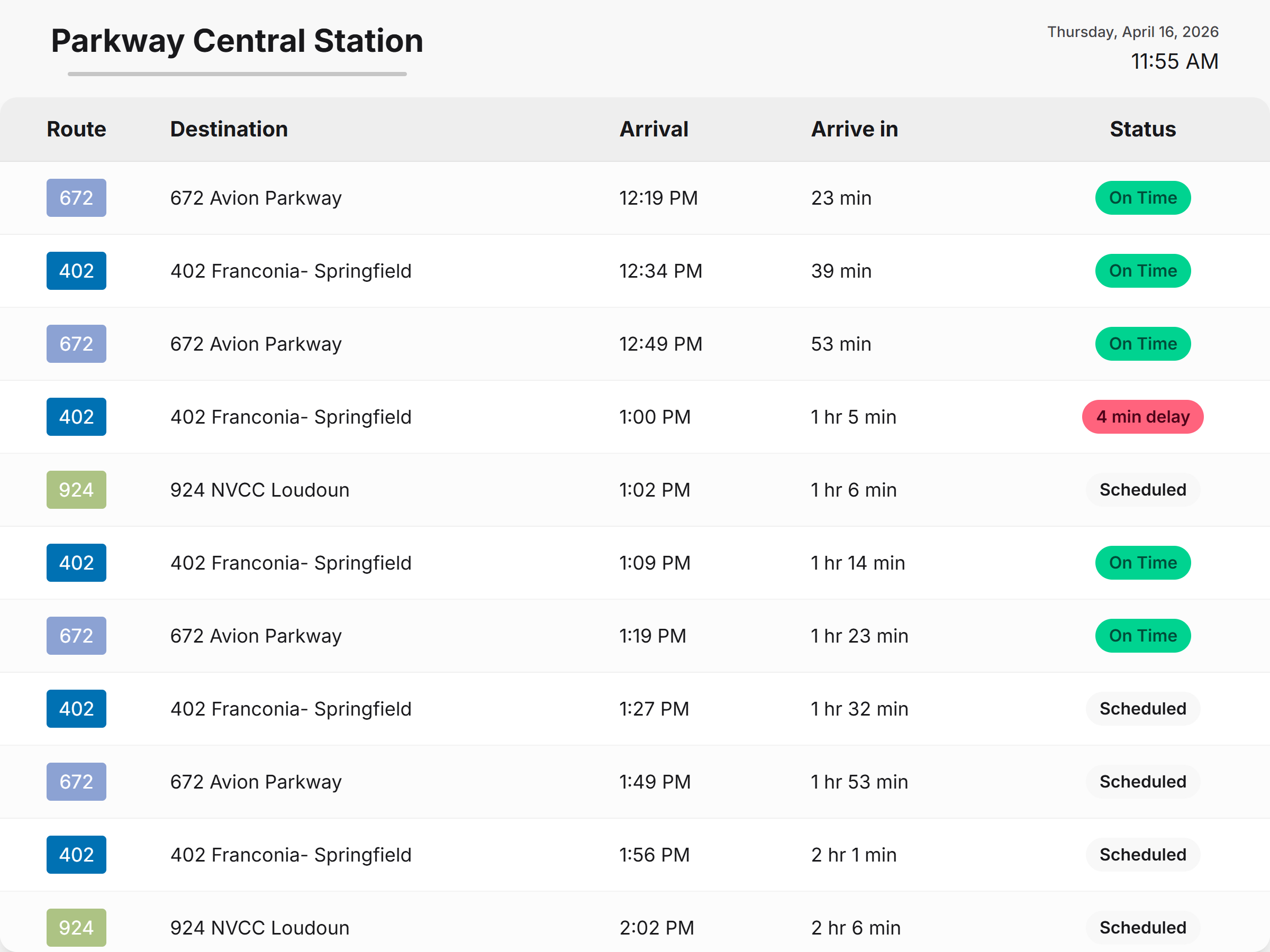
Table-style board

Ideal for stations and high-volume stops where riders need a fast scan of route, destination, bay, and ETA.

Card-style board

Better for lower-density displays where each departure needs more breathing room.

Operations-Friendly

More than a timetable screenshot

A strong board needs more than departure rows. It needs to stay current, readable, and reliable on unattended screens.

  • Auto-refresh keeps departures current.
  • Stale-state handling avoids silent failures.
  • Multiple layouts fit kiosks, platform screens, and lobbies.
  • High contrast improves distance readability.
Placement

Stations and hubs

Large, glanceable rows for high-traffic screens.

Placement

Platform and shelter screens

Real-time departures where riders are waiting.

Trust

Timestamped updates

Visible refresh states build rider trust.

Flexibility

Agency-branded shell

Branded so the display still feels like your agency.

Example Placements

See the board layouts in context

Two examples showing how the schedule board can work across different public display formats.

Wide table-style schedule board showing routes, destinations, arrivals, and status
Table Layout

Best when riders need to scan a lot of departures quickly

The table view is built for station screens, transit centers, and other high-traffic displays where riders need route, destination, arrival time, and status in one fast visual pass.

  • Shows a larger number of upcoming departures in one view.
  • Makes delays and on-time status easy to spot from a distance.
  • Works well for lobbies, terminals, and major waiting areas.
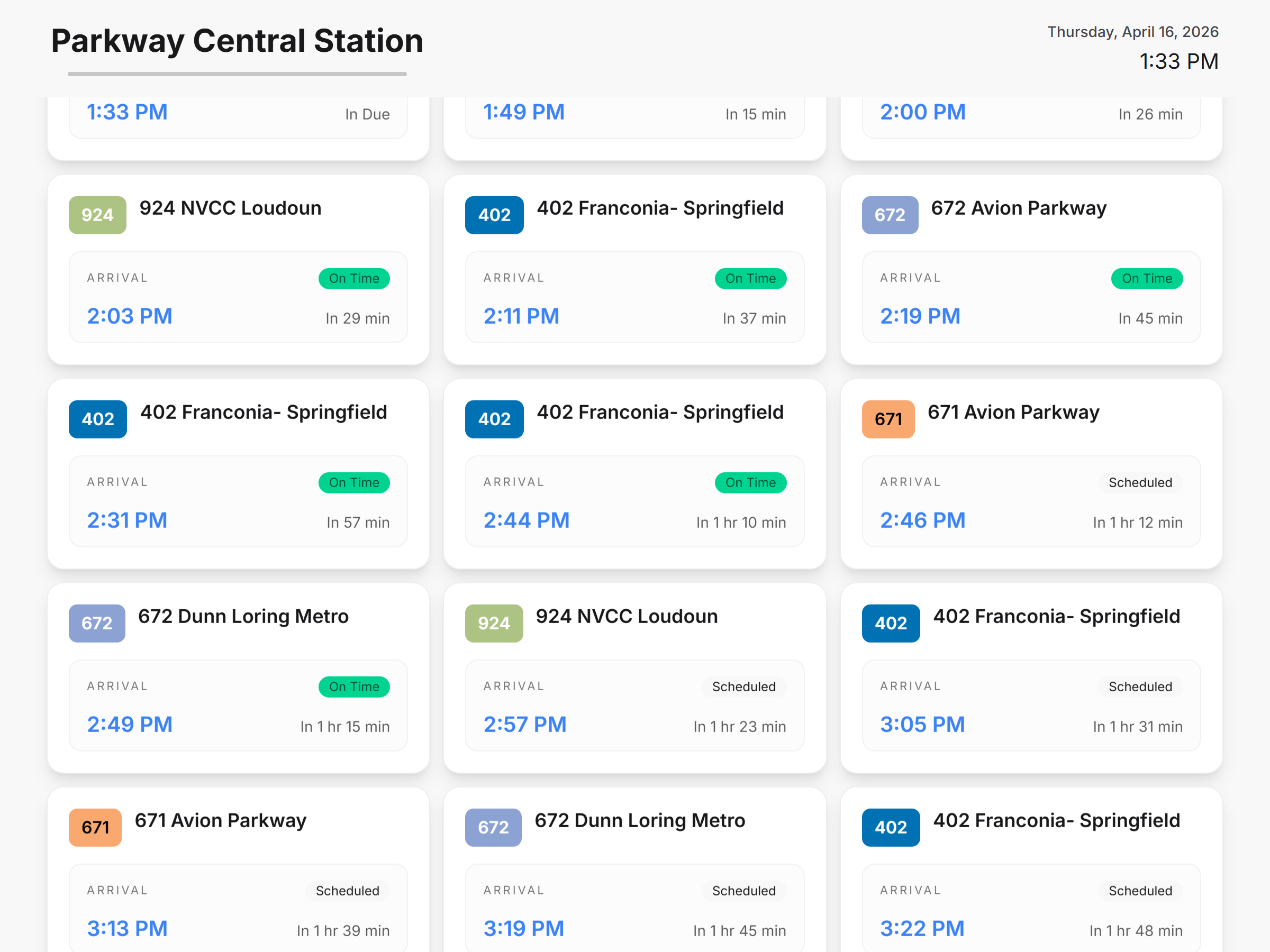
Card Layout

Better when each departure needs more breathing room and visibility

The card view gives each trip its own block, which makes the board feel more open and easier to read on screens where fewer departures are shown at once.

  • Gives more visual weight to each upcoming departure.
  • Works well for campus shuttles, office lobbies, and branded displays.
  • Keeps the board readable even when screen density is lower.
Card-style schedule board showing upcoming departures in separate blocks

Need a better public departures board?

We can show how a live schedule board would work on station displays, public TVs, kiosks, and shuttle screens.

This site is protected by reCAPTCHA and the Google Privacy Policy and Terms of Service apply.